This document describes how environments are configured for Flipt v2.
Flipt v2 supports the ability to configure multiple environments, allowing the user to switch between them in the UI as well as at evaluation time.Environments are unique to other Flipt resources in that they are not created or managed via the Flipt API or UI. Instead, they are defined in the Flipt server configuration file as they are tightly coupled to the storage configuration.
Each environment has an identifier that is used to reference the environment in the configuration and in the UI/API and is used to determine the environment that will be used when evaluating flags.Identifiers can be any string value but must be unique. Flipt creates a default identifier and environment for you automatically if you don’t specify one.
environments:
  local: # id
    name: "local"
    default: true

  staging: # id
    name: "staging"
    storage: "staging"
Each environment has a storage configuration field that is used to determine the storage backend that will be used for the environment.The storage configuration is a reference to the storage backend that will be used for the environment.
environments:
  local:
    storage: "local"
In the above configuration, the local environment will use the local storage backend as defined in the storage configuration.
This mapping between environments and storage backends means that multiple environments can share the same storage backend.For example you could have all environments share the same storage which syncs to a single git repository.
Each environment has an optional directory configuration field that is used to determine the directory that will be used to store the environment’s resources.This is only required if multiple environments share the same storage backend, as Flipt needs to know where to ultimately store the state without conflicting with other environments.
In the above configuration, the foo and bar environments will use the same local storage backend but will store their resources in different directories.
Each environment has a default configuration field that is used to determine if the environment is the default environment.The default environment is the environment that will be used when no other environment is specified.
environments:
  local:
    default: true
This means that if no environment is specified when performing actions such as flag evaluation, creation, or updates, the local environment will be used. This will also be the environment that is selected in the UI by default.
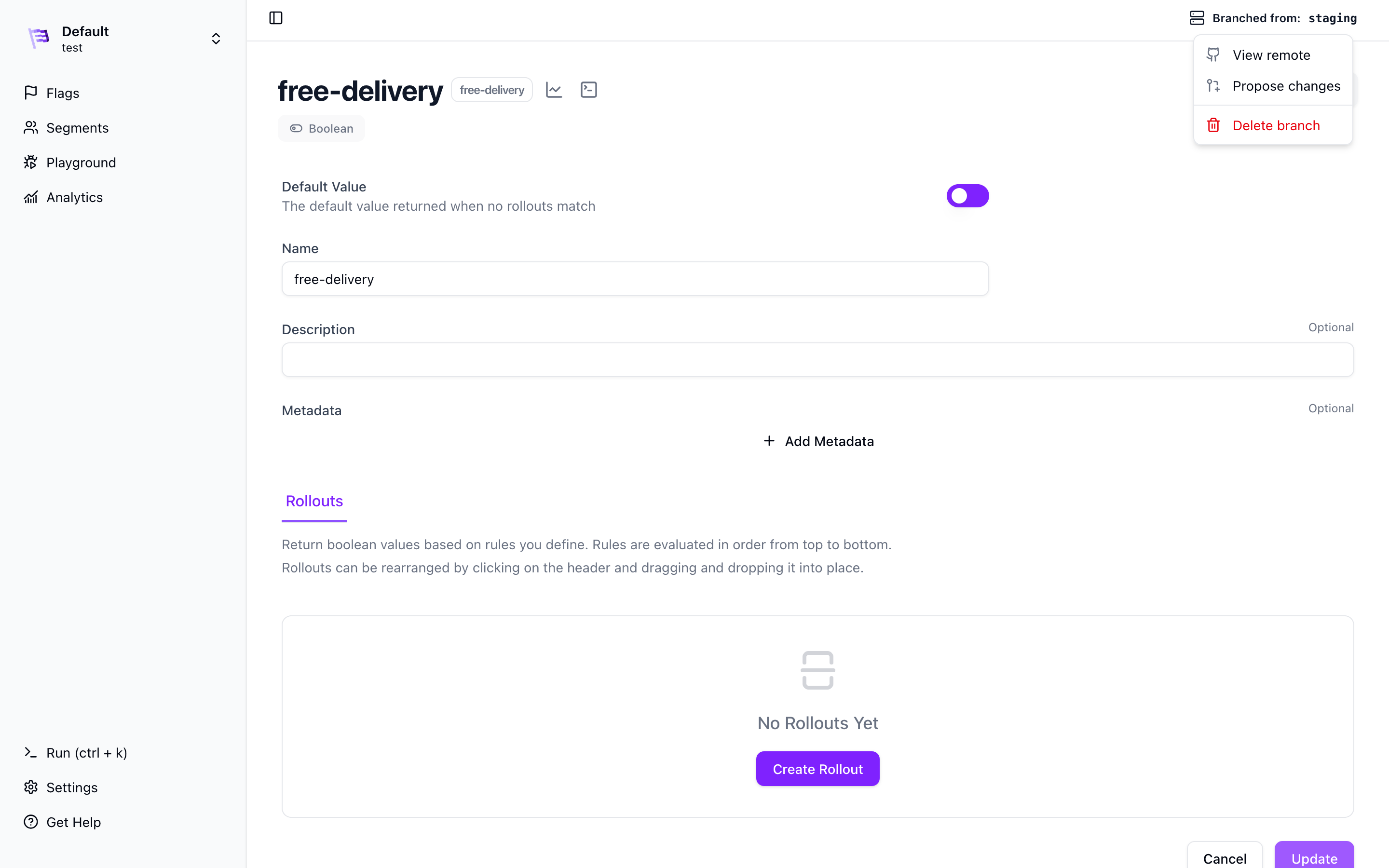
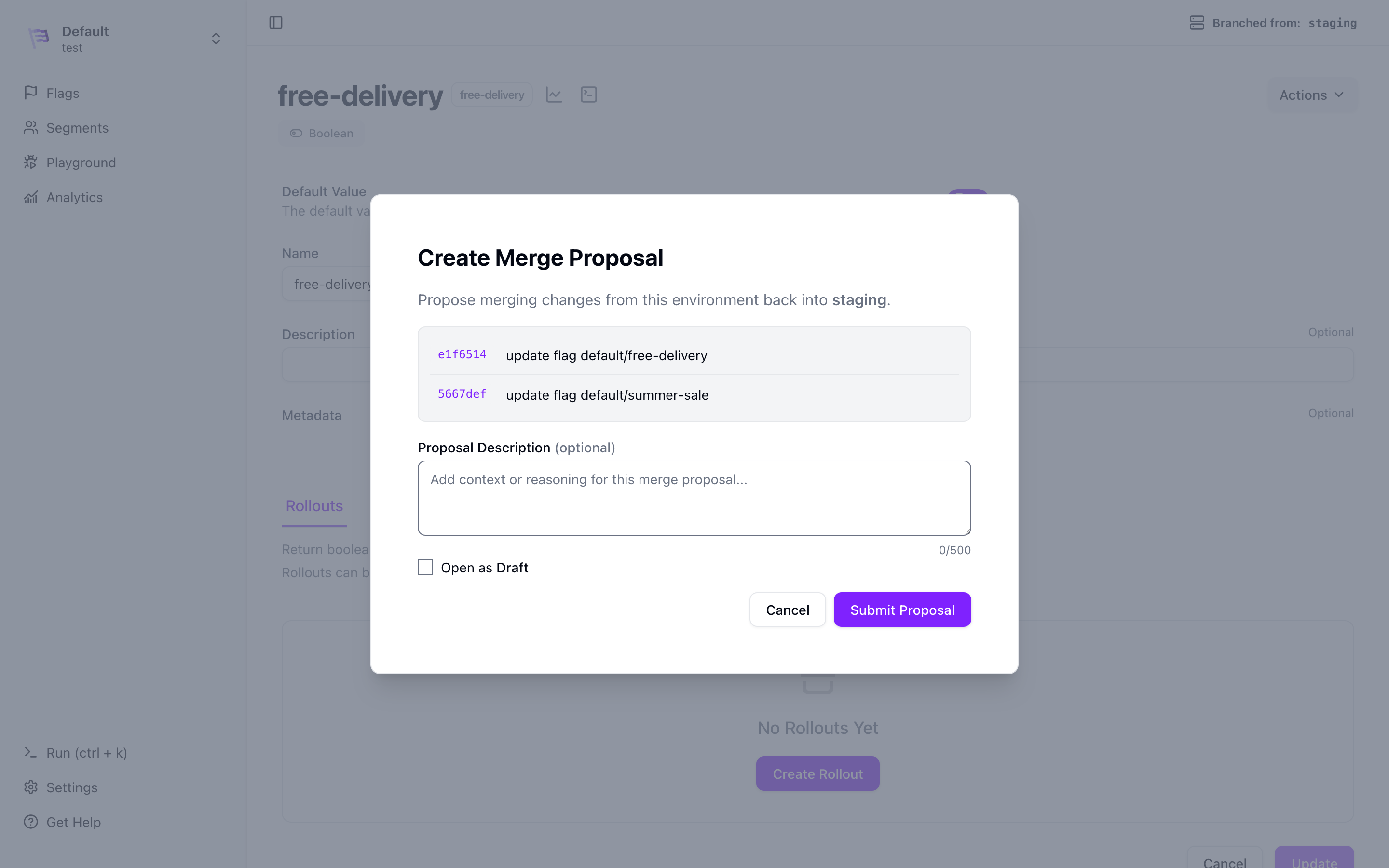
You can create branches from an existing environment. Branches are a complete copy of the base environment and are completely independent of each other after creation.Branches are created in the UI or API and do not require any additional configuration.Branches can optionally be configured to sync to a remote Git repository. This allows you to create and track merge proposals for your branches if you have an SCM provider configured.See the Branching guide for more information on how to create and use branches.
Source Control Management is a paid feature and requires a commercial license.
Each environment can be configured to use a source control management provider. This allows you to go beyond just storing your environment’s data in a remote Git repository, but also create and track merge proposals for your branches.
If you are using a self-hosted SCM provider such as GitHub Enterprise, GitLab,
Bitbucket Server/Data Center, Azure DevOps Server, or Gitea, you will need to
configure the API URL.
Environments can be configured to use a single Source Control Management (SCM) provider. Supported providers include:
Configuring an SCM provider requires a set of credentials to be provided. These credentials are configured via the same mechanism as the remote storage credential configuration.The identifier for the credentials is a string value that is used to reference the credentials in the configuration.