

Analytics
Flipt includes functionality for reporting analytical data to a configurable storage engine. Currently, Flipt has support for collecting data into the following storage engines: The data that gets collected currently includes:- Flag Evaluation Count
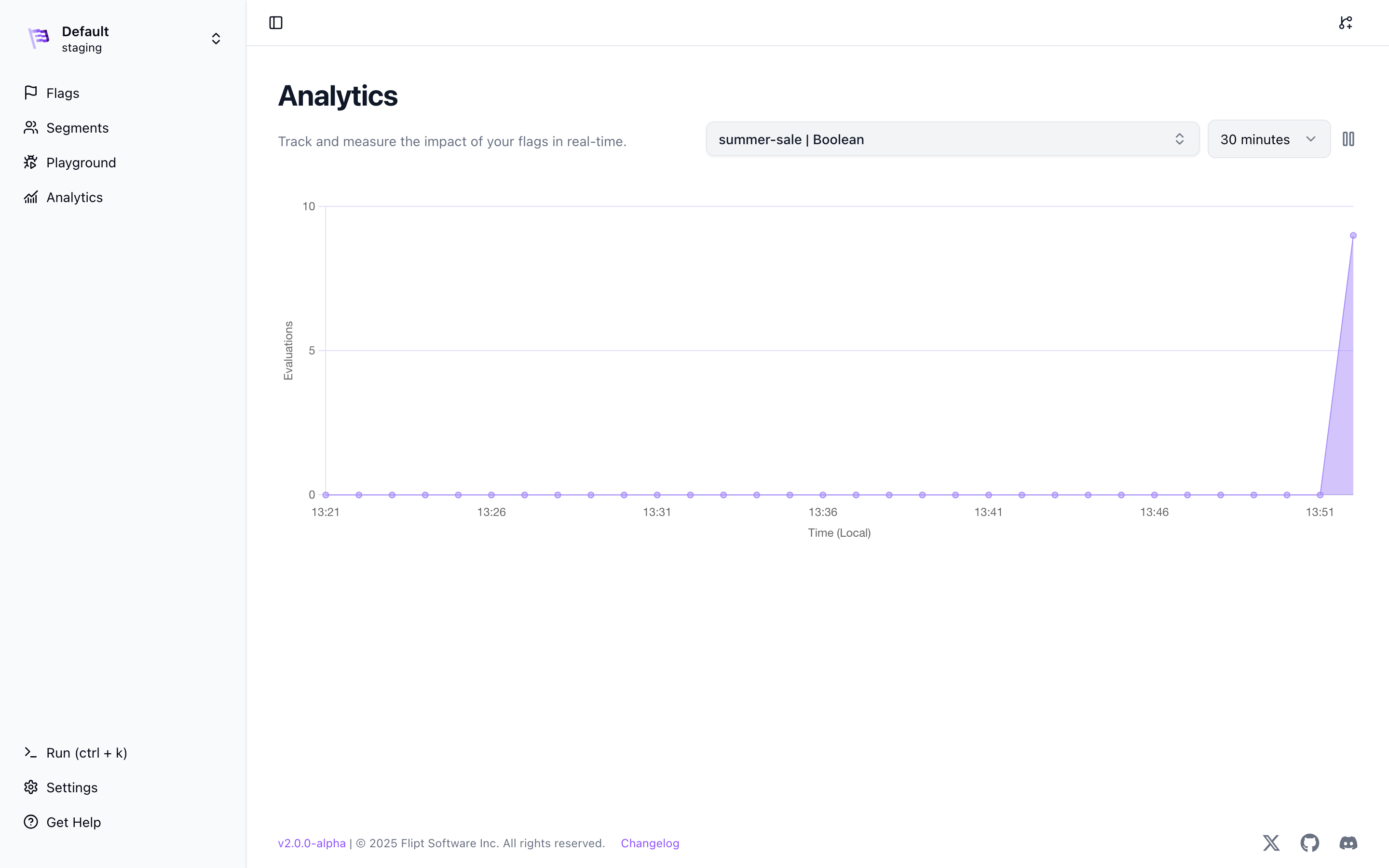
summer-sale evaluation counts.
Origin
Analytics are currently only collected as they pass through the evaluation server. This means that analytics will be captured if you are using the REST or GRPC APIs via one of our Server SDKs or GRPC SDKs for evaluations. We have plans to support collecting analytics for Client-Side evaluations in the future.ClickHouse
You can use a self-hosted ClickHouse instance or a managed instance to store your analytics data. We highly recommend using a separate database for analytics produced by Flipt. This ensures that Flipt analytic data can be logically isolated from the rest of your Clickhouse data.The analytics database must be created before Flipt will be able to write
analytical data and run any migrations. See our
migrate command for more info.
Configuration
To configure Flipt to use ClickHouse for analytics, you will need to add the following configuration to yourconfig.yml file or environment variables:
- Environment Variables
- Configuration YAML
Prometheus
You can use any Prometheus server to store your analytics data.Configuration
To configure Flipt to use Prometheus for analytics, you will need to add the following configuration to yourconfig.yml file or environment variables:
- Environment Variables
- Configuration YAML
Custom Headers
You can also add custom headers to the Prometheus requests by setting theanalytics.storage.prometheus.headers configuration property. This can be useful if you are using a proxy or need to add additional authentication headers.
AWS SigV4 Authentication
If you are using Amazon Managed Service for Prometheus (AMP), you can configure Flipt to authenticate requests using AWS Signature Version 4 (SigV4).- Configuration YAML
- Environment Variables
access_key and secret_key are not provided, Flipt falls back to the default AWS credential chain (environment variables, shared credentials file, IAM instance profile, etc.).
You can also assume an IAM role by specifying role_arn: