> ## Documentation Index
> Fetch the complete documentation index at: https://docs.flipt.io/llms.txt
> Use this file to discover all available pages before exploring further.
# Deploy to Fly.io
> Deploy Flipt to Fly.io with Postgres
[Fly.io](https://fly.io) is a platform for running applications close to users. This guide will show you how to deploy Flipt to Fly.io and configure Flipt to use a Postgres database, also managed by Fly.io.
## What You'll Learn
In this guide, you will learn how to deploy Flipt to Fly.io with Postgres. You'll also learn how to configure Flipt with environment variables.
By the end of this guide, we will have:
* 🚀 Successfully deployed Flipt to Fly.io
* 🐘 Configured Flipt with environment variables to use Fly.io's managed Postgres service
## Prerequisites
* A Fly.io account (Sign up: [https://fly.io](https://fly.io))
* `flyctl` CLI installed on your local machine (Installation guide: [https://fly.io/docs/getting-started/installing-flyctl/](https://fly.io/docs/getting-started/installing-flyctl/))
## Deployment Steps
1. Ensure you can log in to your Fly.io account with `fly auth login`.
2. Create and `cd` into a new directory for your Flipt deployment. (e.g. `mkdir flipt-test && cd flipt-test`)
3. Begin the launch process to deploy Flipt on Fly.io using their CLI, selecting mainly the defaults and Postgres when prompted:
We specify the ghcr.io/flipt-io/flipt:latest image, which is the
latest stable release of Flipt. You can also use a specific version of Flipt
by replacing latest with a specific version tag (e.g.{" "}
ghcr.io/flipt-io/flipt:v1.23.0).
```console theme={null}
$ fly launch -i ghcr.io/flipt-io/flipt:latest
? App Name (leave blank to use an auto-generated name) flipt-test
Automatically selected personal organization:
...
? Would you like to set up a Postgresql database now? Yes
```
Note the Postgres database connection string that's printed during the launch
process. You will need this to configure Flipt.
4. After the launch process completes, it will write a `fly.toml` file to your current directory. You can configure the number of instances, memory, and CPU allocated to your Flipt deployment. You can also set environment variables to customize Flipt's configuration.
For more information, refer to the [Fly.io documentation](https://fly.io/docs/reference/configuration/) and the [Flipt documentation](/v1/configuration/overview).
5. Before deploying Flipt, we'll need to set the `FLIPT_DB_URL` secret to point to your newly configured Postgres database.
You can do this with the following command, replacing `` with the connection string from the launch process and appending the db name (postgres) and `?sslmode=disable`:
```console theme={null}
fly secrets set FLIPT_DB_URL=/postgres?sslmode=disable
```
6. Finally, deploy Flipt to Fly.io with `fly deploy`.
```console theme={null}
$ fly deploy
Deploying flipt-test
==> Validating App Configuration
```
## Verifying the Deployment
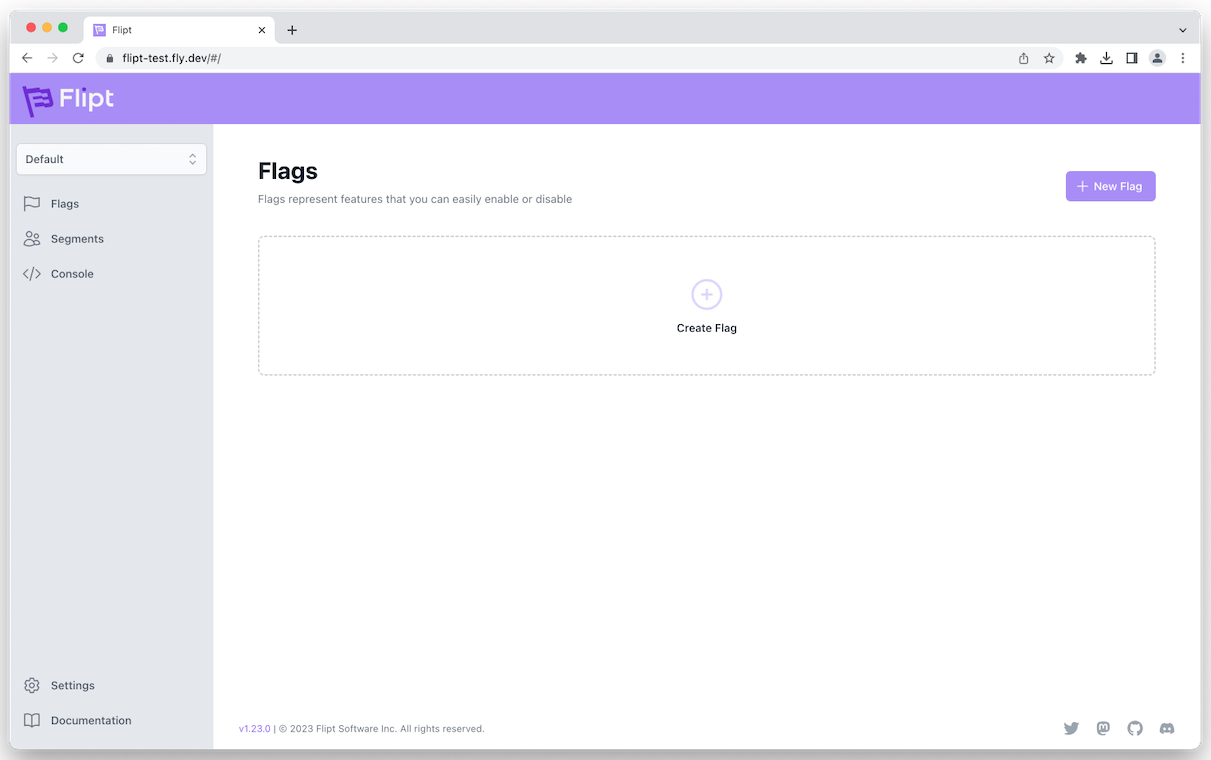
After deployment, you can verify if Flipt is running correctly by accessing the Flipt UI on the provided Fly.io URL or issue the command `fly open` in the CLI to open your newly deployed Flipt instance in the browser.
```console theme={null}
$ fly open
opening https://flipt-test.fly.dev/ ...
```
 ## Configuration
You can configure Flipt with [environment variables](/v1/configuration/overview#environment-variables) in the `fly.toml` file. For example, to configure Flipt to use a custom port and enable DEBUG logging you can add the following to the `fly.toml` file:
```toml fly.toml theme={null}
# See https://fly.io/docs/reference/configuration/ for information
# about how to use this file.
app = "flipt-test"
primary_region = "iad"
[build]
image = "ghcr.io/flipt-io/flipt:latest"
[http_service]
internal_port = 9090
force_https = true
[env]
FLIPT_SERVER_HTTP_PORT = 9090
FLIPT_LOG_LEVEL = "debug"
```
After making changes to the `fly.toml` file, you can deploy the changes with `fly deploy`.
```console theme={null}
$ fly deploy
Deploying flipt-test
==> Validating App Configuration
```
## Troubleshooting
If you encounter any issues during the deployment, check the logs on Fly.io for any error messages:
```console theme={null}
fly logs
```
Enabling DEBUG logging as shown above can be helpful for troubleshooting any issues during Flipt startup.
## Conclusion
Deploying Flipt to Fly.io allows you to get up and running with Flipt quickly. For production deployments however, you'll likely want to configure Flipt with [authentication](/v1/configuration/authentication) as well as consider configuring [caching](/v1/configuration/storage#caching), [observability](/v1/configuration/observability), and using a [read replica](https://fly.io/docs/postgres/advanced-guides/high-availability-and-global-replication/) for your database.
For more information on production deployments, refer to the [Deployment](/v1/operations/deployment) section of the documentation.
## Configuration
You can configure Flipt with [environment variables](/v1/configuration/overview#environment-variables) in the `fly.toml` file. For example, to configure Flipt to use a custom port and enable DEBUG logging you can add the following to the `fly.toml` file:
```toml fly.toml theme={null}
# See https://fly.io/docs/reference/configuration/ for information
# about how to use this file.
app = "flipt-test"
primary_region = "iad"
[build]
image = "ghcr.io/flipt-io/flipt:latest"
[http_service]
internal_port = 9090
force_https = true
[env]
FLIPT_SERVER_HTTP_PORT = 9090
FLIPT_LOG_LEVEL = "debug"
```
After making changes to the `fly.toml` file, you can deploy the changes with `fly deploy`.
```console theme={null}
$ fly deploy
Deploying flipt-test
==> Validating App Configuration
```
## Troubleshooting
If you encounter any issues during the deployment, check the logs on Fly.io for any error messages:
```console theme={null}
fly logs
```
Enabling DEBUG logging as shown above can be helpful for troubleshooting any issues during Flipt startup.
## Conclusion
Deploying Flipt to Fly.io allows you to get up and running with Flipt quickly. For production deployments however, you'll likely want to configure Flipt with [authentication](/v1/configuration/authentication) as well as consider configuring [caching](/v1/configuration/storage#caching), [observability](/v1/configuration/observability), and using a [read replica](https://fly.io/docs/postgres/advanced-guides/high-availability-and-global-replication/) for your database.
For more information on production deployments, refer to the [Deployment](/v1/operations/deployment) section of the documentation.